
RECOMMENDATIONS
-
Assess the crop growth stage beforehand to set optimal spraying parameters.
-
Following app updates, some features may not appear exactly as shown in this document. Please refer to the online Help Center for the latest documentation.
-
Some features are available only with a valid license.
A treatment consists of one or more fields treated with the same plant protection products and the same parameters of use (speed of work, height of the booms...).
-
In the app, click New Mission to configure a treatment mission.
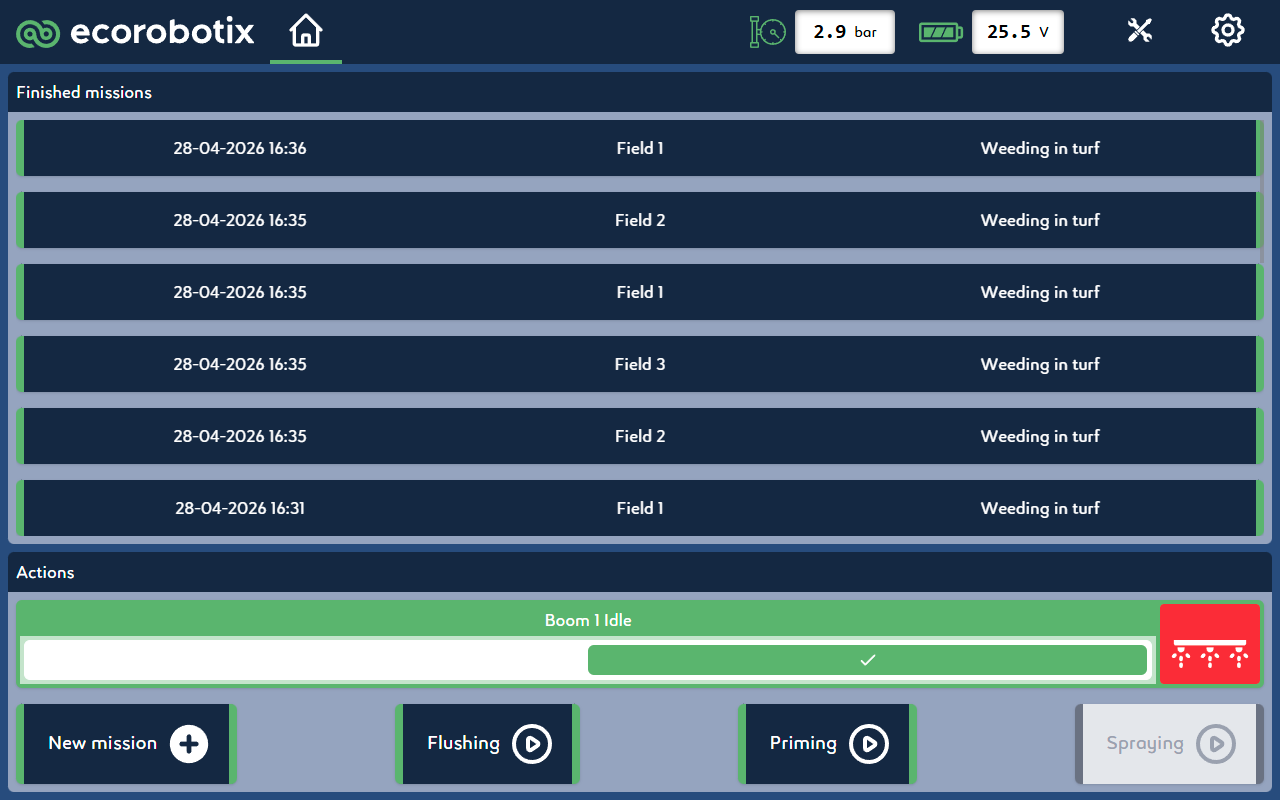
-
Select the application type.
.png?cb=79892dcccfa8e786db3454abfb0e74ad)
-
Select the turf type.
.png?cb=cfdedeb0d712732632bcafd57bb5e878)
-
Select the surface.
.png?cb=2007e284721e2a1a2e333fb451a976d3)
-
Select the target weed type.
.png?cb=5696e508ada1dff9a32db12fc391e03c)
-
The working pressure can be set from 2.2 bar to 3.5 bar.
INFORMATION
It is recommended to leave the default setting at 3.0 bar.
-
The target density is linked to the selected working pressure and can be set at a defined speed.
-
The working width can be changed from 2.25 m | 7.46 ft to 0 in increments of 0.04 m | 0.15 ft.
.png?cb=2ec3b2a747e3660a78b1e1d404f2dcb2)
-
Define the owner and field.
If necessary, create a new entry by tapping the + button.
.png?cb=885050ea61ecd36602b723ff7ab90ee5)
-
Verify all configured parameters in the mission summary.
.png?cb=a835d9880c38ef0785df93765833c7f6)
CAUTION
Incorrect mission configuration can result in sub-optimal treatment performance and may negatively impact turf quality.
-
Click on New mission to launch the configured mission.